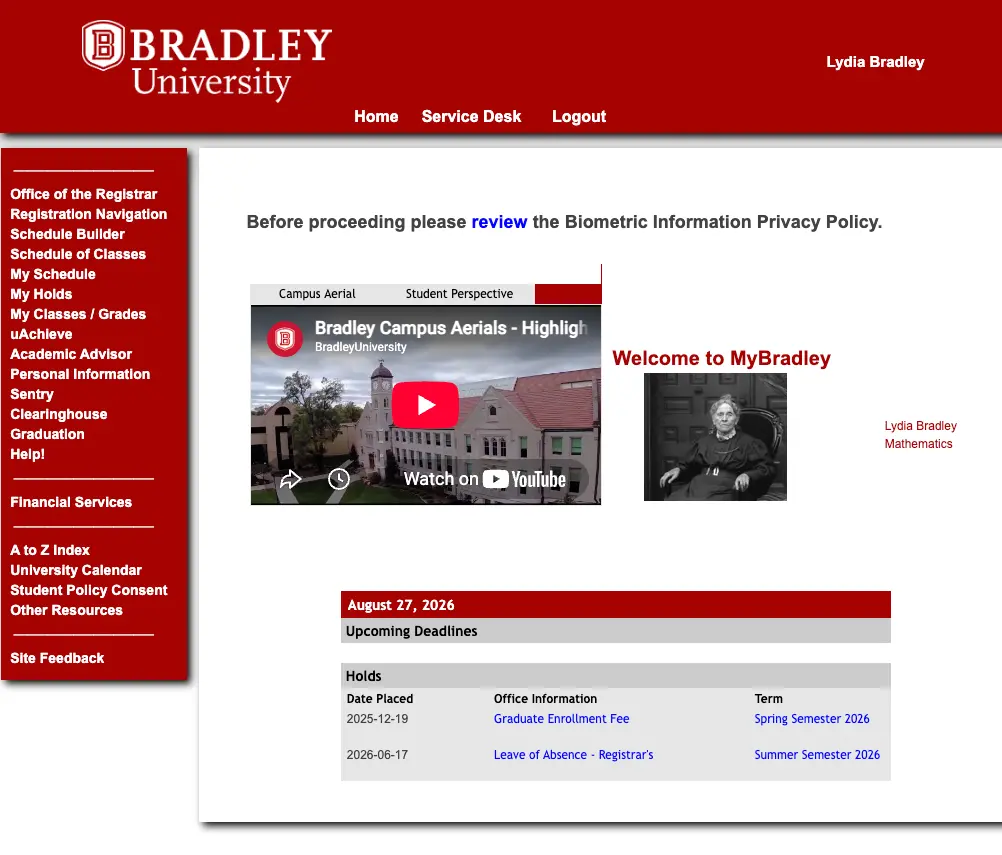
MyBradley is your one-stop hub for managing your academic life at Bradley University. Once you log in with your BUnetID, you can register for classes, check your grades, view your schedule, and stay on top of your account balance, all from a single dashboard.
Everything in One Place
MyBradley gives you secure, direct access to your academic and financial records. It’s where you’ll go each semester to register for classes, and where you can check in year-round on your grades, schedule, and account balance.
Log in to MyBradley with your BUnetID and password, the same credentials you use for email and other Bradley systems. Need help signing in? Contact the IT Service Desk.
Register for Classes
Search the course catalog and add or drop classes each semester.
View Schedule
See your class times, locations, and instructors at a glance.
View Grades
Check your current and past semester grades as soon as they’re posted.
Manage Financials
Review billing statements, account balances, and payment history.