


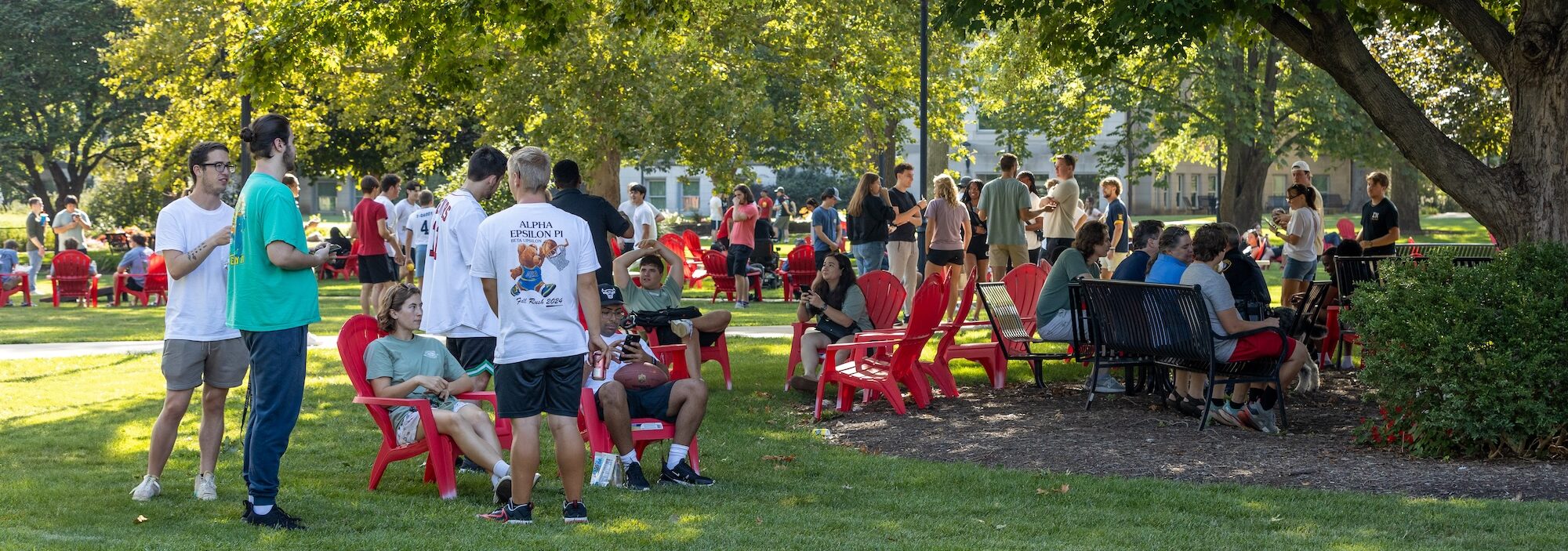
International Student Services (ISS) provides immigration advising for undergraduate and graduate international students. The office primarily serves F-1 visa holders but is open for all non-residents of the United States. ISS maintains up-to-date policies and government immigration records and is the primary campus liaison to agencies regarding immigration issues including the Department of Homeland Security, Department of State, and Student and Exchange Visitor Program.
Information for Incoming Students
A visa allows a foreign citizen to travel to a U.S. port-of-entry and request permission to enter the United States. A visa does not guarantee entry into the country. Customs and Border Protection (CBP) officials at the port of entry have authority to permit or deny admission. You can learn more about procedures for entering the U.S. on the CBP website. You aren’t permitted to enter the U.S. earlier than 30 days before your program start date. Be sure to carry the following documents while you travel. Do not pack them in your luggage:
- Passport
- I-20
- Acceptance letter
- Transcripts, marksheets, or degree certificates
- Financial proof including the Bradley Affidavit of Support
- Bradley University health form and proof of immunizations
- Medications in their original containers and the doctor’s prescription
- Money,* internationally accepted credit card, and other valuables
*Note: We advise you to have at least half of your annual estimated expenses (approximately $15,000) available when you arrive. We strongly suggest you don’t carry more than $2,000 in cash since it can be stolen. In addition, you can’t carry in more than $10,000 in cash into the U.S.
Plan to arrive on campus before the Program Start Date on your I-20, which lists the date international orientation will begin. Orientation is mandatory. You will want to make your arrangements for travel to Bradley as soon as you can to insure you get the best rates. If you are a first-year student who plans to attend the final university orientation, you should make your travel arrangements so you arrive on campus in time for the beginning of the session. If you will be arriving early, you must contact the Housing Office to request an early check-in.
Be aware it may take you quite some time to get through both immigration and customs when you arrive. If Customs and Border Protection wishes to speak to Bradley University when you arrive or any emergencies occur, please contact the Bradley University Police at (309) 677-2000.
Purchasing Tickets
Several airlines provide service into Peoria’s General Wayne A. Downing Peoria International Airport (PIA). PIA is a 10-minute drive from campus. If you’re arriving at PIA, we recommend you take a taxi or ride-share service from the airport to campus.
Many international flights come in through Chicago O’Hare International Airport (ORD), which is approximately 3 hours by bus/car to the Bradley campus. If you’re arriving at ORD, we recommended you book a ticket through Peoria Charter, a coach bus company that picks up passengers at the international terminal. Peoria Charter provides twice a day shuttle service from the ORD International Terminal directly to our campus outside of the Michel Student Center. Before booking your flight, check the Peoria Charter schedule to be sure you know what bus will be available for your arrival. Check Peoria Charter’s website for the bus schedule and rates.
We do not recommend students to use a taxi, ride-share, or car rental if arriving at ORD. If an option is available, the cost can be very expensive due to the time commitment and gas costs. We also do not recommend the Amtrak train, as the pick up is not at the airport and the drop off is not in Peoria.
Bank Account
It is important to make sure you open a United States bank account once you have arrived. Our current International Students have had an easier time getting a bank account without a Social Security Number at PNC Bank and Chase Bank Chase Bank, as both offer Student Banking options to all Bradley students. You can schedule a meeting at either bank in order to open a new bank account.
Please see the list below of the required documents for opening an account:
- I-20
- Passport
- Bradley Student ID
- I-94
Click here to schedule an appointment at Chase Bank to open a Student Checking Account.
When conducting a bank transaction, you need to carry an ID (passport or US driver’s license).
Mobile Network
Obtaining a new mobile network is simple for an international student who is traveling to the US. Start by looking at major carriers that have decent coverage in the area of your campus, such as AT&T, Verizon, T-Mobile, or Mint mobile. Select a suitable plan that meets your needs, then go to a nearby store or buy a SIM card online. Before purchasing the SIM card, Make sure your phone is compatible with the carrier’s network before activating the SIM card by following the steps provided. Create an online account to control your payments and plan.
Driver’s License
You can get your driving license in Peoria by scheduling a new Driver’s License appointment for the test. Students can get their Driver’s License without providing a Social Security Number (SSN). You need to arrive at the DL office at least 15 Minutes prior to your appointment. You will be required to take a paper test and a driving test (bring your own vehicle). Please make sure that you review the Rules of the Road before taking your test.
Additionally, you will need to bring documents to get your license. Please review this chart provided by the Secretary of State for documents required for a license– you will need to bring items from sections A, B, and D to provide proof of your written signature, date of birth, and residency.
Please use this link to schedule your appointment at the Peoria Department of Motor Vehicles.
Markets and Restaurants
Please see below lists curated by current students of places where you can buy all kinds of groceries and go out to eat near University in Peoria. These lists contain local grocery stores and internationally focused grocery markets, the majority of which are accessible by CitiLink Bus, and both international and local restaurants.
Examples of Internationally Focused Grocery Stores
- Devon Food & Groceries (802 W Pioneer Pkwy, Peoria, IL 61615)
- German Specialties (3439 N University St Ste A Peoria, IL 61604)
- Masala Groceries (9915 N Knoxville Ave Ste H Peoria, IL 61615)
- Mediterranean Mart (2328 W Willow Knolls Dr, Peoria, IL 61614)
- Swagat food & Grocery ( 6926 N University St, Peoria, IL 61614)
- Fresh Asian Market (3016 N University St, Peoria, IL 61604)
Local Grocery Stores
- Walmart (3315 N University St, Peoria, IL 61604)
- Aldi (3420 N University St, Peoria, IL 61604)
- Schnucks (4800 N University St, Peoria, IL 61614)
- Costco [Requires Membership] (301 West Washington Street, East Peoria, IL 61611)
- Kroger (3311 N Sterling Ave, Peoria, IL 61604)
- Haddad’s West Peoria market (2407 W Rohmann Ave, West Peoria, IL 61604)
- Sam’s Club [Requires Membership] (4100 W Willow Knolls Dr, Peoria, IL 61615)
International Focused Restaurants
- Rice & Spice [Indian Restaurant] (1200 W Main St Ste 10, Peoria, IL 61606)
- El Gordo Mexican Bakery [Mexican Restaurant] (841 W Main St Peoria, IL 61606)
- Thanh Linh [Vietnamese Restaurant] (1209 W Main St, Peoria, IL 61606)
- Jimador [Mexican Restaurant] (1200 W Main St, Peoria, IL 61606)
- Tawa Kitchen [Indian Restaurant] (816 W Pioneer Pkwy, Peoria, IL 61615)
- Jerusalem Restaurant [Mediterranean restaurant] (2027 W Farmington Rd Ste B, Peoria, IL 61604)
- Indian Tadka [Indian Restaurant] (7815 Knoxville Ave Unit #12, Peoria, IL 61614)
- Olive Garden [Italian American Restaurant] (3915 W War Memorial Dr, Peoria, IL 61615)
- Masala Cafe [Indian Restaurant] 2118 Knoxville Ave, Peoria, IL 61603)
Locally Known Restaurants
- One World Cafe (1245 W Main St, Peoria, IL 61606)
- Obed & Isaac’s (321 NE Madison Ave, Peoria, IL 61603)
- Blue Duck Tavern (212 Southwest Water Street Suite B, Peoria, IL 61602)
- Kelleher’s Irish Pub (619 Southwest Water Street, Peoria, IL 61602)
- Fieldhouse Bar and Grill (1200 W Main St #24, Peoria, IL 61606)
- Rhythm Kitchen Music Cafe (305 Southwest Water Street, Peoria, IL 61602)
Citylink is Peoria’s principal public transportation provider, offering bus services all over Peoria that cover various parts of the city, including residential areas, shopping malls, and key attractions such as Bradley University. Whether exploring the city, attending class, or seeing local sights, Citylink buses are a dependable and convenient way to travel. You may quickly plan your trip using their Citylink official website or the My Stop app, where the bus location and arrival timings can be tracked easily.
As a student, you can purchase convenient fare alternatives such as daily or monthly passes. These passes can only be purchased at Swords Hall with your student ID, which is located right on the Bradley University campus, allowing you to easily access economical transit throughout your stay.
To get to know Citylink and make the most of your transportation experience in Peoria, download the My Stop app and visit the Citylink website for complete route maps, schedules, and other information.
Citylink Bus services
My Stop Play store app for tracking Citylink bus
My Stop App Store app for tracking Citylink bus
Resources for Current Students
Resources for Departments
Resources for International Alumni
Information
During post-completion OPT or STEM extension OPT, students are still considered to be on their F-1 student status. As such, regulations require that F-1 students maintain their status by reporting any changes to International Student Services. Any student on OPT must report changes of the following within 10 calendar days of the change happening:
- Contact information: phone number, email address, residential address, mailing address
- Legal name
- Employer information: supervisor’s name, phone number, or email address; company’s name or address
- Employment information: change of employers, job title, start or end dates of employment, interruptions of employment
- Visa status: change to a different status, early completion of current status or OPT, leaving the U.S. with no plans to return
If you are unsure if a change needs to be reported, check with ISS as soon as possible.
While on Post-Completion OPT
If you need to update employer details while on post-completion OPT, you can report the changes using one of the following:
- Access your SEVP Portal and input your updated information directly into the Portal.
- ISS usually pulls a list of new changes every Monday.
- ISS will review the updated information and if additional information is needed, ISS will reach out.
- Complete the OPT Reporting Form with your updated information.
- ISS will review the updated information within 3 business days of the form being submitted.
- Any updates made to your SEVIS record by ISS will appear in your SEVP Portal within 48 hours.
Please note that you should only use one of the two options above unless otherwise directed by ISS.
While on STEM Extension OPT
If you need to update current employer details while on STEM extension OPT, you can do so by:
- Complete the OPT Reporting Form using the “Update Current Employer’s Information” option
- With this option, you only need to input information that is being updated and can skip over any details that remain the same.
- If you have a material change to your Form I-983, you will need to upload an updated Form I-983 into the OPT Reporting Form.
If you need to change your employer while on STEM extension OPT, you can do so by:
- Complete the OPT Reporting Form using the “Change or Adding of Employer while on STEM Extension OPT” option
- Provide a completed and signed Form I-983 from your new employer
- Provide a completed and signed Form I-983 from your former employer with the “final evaluation on student progress”, which is the bottom portion of page 5
- You will upload these documents into the OPT Reporting Form
If you need to report for your mandatory 6-month reporting, you can report by:
- For the 6th-month reporting period, complete the OPT Reporting Form using the “6th month Mandatory Reporting” option
- For the 12th-month reporting period, complete the OPT Reporting Form using the “12th month Mandatory Reporting” option
- Provide the completed Form I-983 with the “evaluation on student progress”, which is the top portion of page 5
- You will upload this documents into the OPT Reporting Form
- For the 18th-month reporting period, complete the OPT Reporting Form using the “18th month Mandatory Reporting” option
- For the 24th-month reporting period, complete the OPT Reporting Form using the “24th month Mandatory Reporting” option
- Provide the completed Form I-983 with the “final evaluation on student progress”, which is the bottom portion of page 5
- You will upload this document into the OPT Reporting Form
If you need to report ending employment while on STEM extension OPT, you can do so by:
- Complete the OPT Reporting Form using the “Unemployment” option
- Provide a completed and signed Form I-983 from your former employer with the “final evaluation on student progress”, which is the bottom portion of page 5
- You will upload this document into the OPT Reporting Form
Reminders
For all OPT work authorization periods:
- Full-time employment for immigration purposes equates to 20 or more hours per week; anything less than 20 hours is considered part-time.
- You have access to the SEVP Portal to review your employer history and current employer information.
- Information about the SEVP Portal can be found here.
- If you need to reset your SEVP Portal password, email ISS with your SEVIS ID number and the request to reset the password.
- You are responsible for keeping track of your unemployment.
- While on post-completion OPT, you are granted 90 days of unemployment.
- While on STEM extension OPT, you gain an additional 60 days of unemployment.
For STEM extension OPT:
- Save a copy of your Form I-983 so that you can easily edit or make changes in case of any updates to your employment details.
- A full, completed Form I-983 must be turned in any times the Form I-983 is submitted.
- Make sure the information for the Form I-983 reflects your employer’s information and follow the Form I-983 sample. A Form I-983 that has been submitted with incorrect or missing information will not be accepted.
- You can find instructions about the From I-983 directly from SEVP here.
- The mandatory 6-month reporting is only for the STEM extension period and does not include the post-completion OPT period.
Documentation Required for OPT Reporting
Information
STEM Extension OPT allows F-1 international students with a qualifying STEM degree to apply for an additional 24 months of OPT work authorization. View the list of current “STEM eligible” degrees that Bradley offers. While STEM Extension OPT is recommended by International Student Services (ISS), it is an application that is sent to U.S. Citizenship and Immigration Services (USCIS) for processing and approval.
Eligibility
In order to be eligible for STEM Extension OPT, you must:
- Have maintained your F-1 status.
- Have completed a STEM approved degree (based on the CIP code on your I-20).
- Currently be on approved post-completion OPT.
- Have an employer who is e-Verified.
- Have not been approved for STEM extension two other times or at the same degree level.
- File your application with USCIS before your post-completion OPT end date.
- File your application with USCIS no earlier than 90 days before your OPT end date.
- File your application with USCIS no more than 60 days after the DSO recommendation on your new I-20.
- Have completed the Form I-983 “Training Plan for STEM OPT Students” with the employer you are requesting to work for on the extension.
Reminders
- You are responsible for your own STEM OPT application and making sure you submit a complete and correct application. International Student Services can only provide guidance to help you apply.
- If you have not completed your degree requirements or don’t have your transcript with the degree conferral listed, you risk being denied the STEM extension as the application requires proof of degree completion.
- You need a “STEM OPT recommended” I-20 in order to apply for STEM Extension. Failure to have a STEM recommendation will result in USCIS denying your application.
- Double-check your application before submitting. Make sure to keep a personal copy of your entire application before final submission to USCIS.
- If you mail anything to USCIS, make sure that you use a tracking number. When the packet has been received, make sure you have proof of the delivery saved (i.e. taking a screenshot of the delivery).
- Expect that it will take USCIS at least 90 days to adjudicate your application, but you can check current processing times on the USCIS webpage.
- If you file your application in a timely manner, then you will receive a 180-day grace period after your OPT end date where you are eligible to keep working without your Employment Authorization Document (EAD).
- If you file your application in a timely manner, then you will receive a 180-day grace period after your OPT end date where you are eligible to keep working without your Employment Authorization Document (EAD).
- While on STEM Extension, you must maintain your F-1 visa status; this includes reporting any changes to International Student Services within 10 calendar days.
- Save a copy of your Form I-983 so that you can easily edit or make changes in case of any updates to your employment. A full Form I-983 must be turned in even if you are only making a couple of changes.
- Make sure the information on your Form I-983 reflects your employer information and follows the Form I-983 sample or the Form I-983 instructions. Any I-983 that has been submitted with incorrect or missing information will not be accepted.
- For immigration purposes, full-time employment equates to at least 20 hours per week; anything below 20 hours is part-time.
- You are responsible for keeping track of your unemployment; you are granted an additional 60 days of unemployment while on STEM extension to be added to the unused unemployment days from your post-completion OPT.
- Once you are on STEM Extension, you are required to report to Bradley every 6 months even if there are no changes to report; an email will be sent to the email address on file so make sure you keep your email address up-to-date and check it regularly.
Application Timeline
The earliest you can apply for STEM extension OPT is 90 days before your current post-completion OPT end date. The processing times for the USCIS Service Centers can vary greatly, but you can to check the USCIS webpage for the latest approximate processing times. It is recommended that you apply early.
The latest USCIS can receive your application for STEM extension OPT is the final day of your post-completion OPT at 11:59 UTC. It is your responsibility to ensure that all application materials are received by USCIS prior to the end of your post-completion OPT period. Please note that students who wait to apply until the end of the post-completion OPT period may be rejected. It is recommended that students apply for STEM extension as soon as you are eligible.
Online Application Filing
As of April 2021, USCIS allows for online filing of the Form I-765 for international students looking to apply for OPT. Due to this, there are two ways for students to apply for OPT: the USCIS online filing system and mailing the paper application. However, USCIS encourages everyone to use the online application, so that is the only checklist listed below.
There are two steps to apply for STEM Extension OPT using the online application process:
1. Apply for a STEM Extension OPT recommended I-20 with International Student Services –
- Complete and upload the Form I-983 “Training Plan for STEM OPT Students”
- Sample of the Form I-983
- Form I-983 Instructions from SEVP
- Complete and submit the STEM Extension OPT I-20 Request
2. Apply for STEM Extension OPT authorization with USCIS –
- Create an account with USCIS at https://myaccount.uscis.gov
- If you have used the USCIS online account to apply for post-completion OPT, then use the same account.
- You can learn more about your USCIS online account at www.uscis.gov/file-online
- Choose the “File a form online” button
- Choose the “Application for Employment Authorization (I-765)” option
- Make sure to choose the (c)(3)(C) option for STEM Extension OPT
- Make sure you read the form overview before you begin the application. Some tips from USCIS are:
- You are allowed to save a draft of the form, but be aware that the draft will be deleted after 30 days.
- The online form has the same legal parity as the paper form.
- The form is logic based, so start at the beginning and answer as many questions as you can.
- If you idle for more than 15 minutes, you will need to log out and sign back in.
- Complete the form by answering the questions when prompted.
- The different sections are: Getting Started, About You, Evidence, Additional Information, and Review and Submit.
- The form automatically saves when you move to a different section.
- Makes sure you are carefully reading the questions! For example, when the form asks for a date, it will want the Month-Day-Year.
- Gather the documents you will need to upload
- Passport-style photo
- Starting in December 2025, USCIS has implemented a stricter photograph policy. You should still upload a passport-style photo as it is listed in the instructions, but there is a greater chance you will receive a notice for a biometrics appointment at a USCIS Application Support Center.
- Latest I-94
- Passport
- Transcript that shows degree conferral
- If you are using your Bradley University degree for your STEM extension, then you do not need to upload a separate proof of accreditation due to the transcript having the accreditation information.
- Post-Completion OPT Employment Authorization Document
- STEM Extension OPT recommended I-20 from within 60 days
- Upload the necessary evidence. Some tips from USCIS are:
- Make sure you have a clear image of each document and the text is readable
- Maximum size for a document is 6MB per file
- Acceptable forms are: PDF, JPG, JPEG, PNG, TIF or TIFF
- Only use English letters, numbers, spaces, periods, hyphens, underscores or parentheses when naming your document files
- Special characters are not allowed in the file name
- Review your application
- Once you have completed the form, you will be allowed to review the information. If the application has a red alert, you will not be able to submit the form, and will need to make a correction.
- Make sure you click the “view draft snapshot” for a PDF copy of your I-765. You should download and save this for your personal records.
- Submit your application
- Read the Applicant’s declaration and sign
- After you agree to the applicant statement, you will be directed to pay.gov, which is a secure government portal maintained by the Treasury.
- Select your payment method, which can be either a debit or credit card or an ACH withdrawal
- Make sure you have the money available in the account or your application will be rejected
- Once you hit continue after you pay the fee, your application will be submitted.
- Once the payment has been submitted, certain changes cannot be made, and it is much harder to update your form.
Documentation Required for STEM Extension OPT Recommended I-20
Information
If you are planning to travel outside the United States, you need to plan accordingly and take the proper documentation with you to allow for an easier re-entry into the U.S. If you have a question about travel, always ask International Student Services (ISS) before you travel outside the United States. Be aware that ultimately the decision for your re-entry into the United States is made by a Customs and Border Protection (CBP) agent.
For F-1 students currently on OPT/STEM
Required documentation:
- Valid passport
- Needs to be valid for at least 6 months after your return date
- Valid visa
- If you have an expired visa stamp, then you will need to consult the Visa Renewal page for more information.
- Not required for Canadian or Bermudian citizens
- Travel endorsed I-20
- Needs to have a valid travel signature on page 2 from the past 6 months
- If you need an updated travel endorsement, email [email protected] with your SEVIS ID number and the date of your anticipated return to the U.S.
- Valid Employment Authorization Document
- This is the card you received when your post-completion OPT or STEM extension OPT was approved
CBP recommended documentation:
- Contact information for ISS during work hours or Bradley University Police after work hours
- Letter of employment verifying employment start date and confirming work continuation upon return
- Evidence of financial resources to show funds to cover current living expenses
- Evidence of SEVIS (I-901) Fee Payment
Information
Students with active F-1 status may request an F-2 I-20 for their dependent(s). Dependents are defined as a spouse or an unmarried, minor child (below 21 years of age) of the primary visa holder. The dependent must have their F-2 I-20, and will need to apply with the local U.S. consulate for their own F-2 visa. At the visa appointment, the F-2 applicant(s) will likely be asked for proof of relationship (e.g. marriage or birth certificate) and appropriate financial support.
F-2 dependents may join the F-1 visa holder in the U.S. after they receive their F-2 visa. While in the U.S., the following regulations will apply to the F-2 dependent(s):
- Study – an F-2 minor child can study full-time in an elementary or secondary (grades K-12) institution
- Study – F-2 dependents can study part-time at a local post-secondary institution; an F-2 dependent looking to study full-time will need to apply for and be approved for an F-1 student visa
- Travel – F-2 dependents may travel with or without the F-1 student as long as they have a valid passport, a valid visa, and an I-20 properly endorsed for travel on page 2
- Work – F-2 dependents may not work
Documentation Required for adding dependent(s)
In order to request to add a dependent to your immigration record, you must email copies of the following documents to [email protected]:
- F-2 Dependent Affidavit of Support
- Dependent(s) passport photo/biographical page
- Proof of relationship with dependent(s)
- If the dependent is a child, you can use the child’s passport if it lists you as the parent
- Proof of funding to support dependent(s)
- Criteria for proof of funding here
Information
A SEVIS transfer allows International Student Services (ISS) to transfer your SEVIS record held by Bradley University to a different U.S. institution. ISS can only transfer your SEVIS record, as we do not handle transcript requests. If you wish to send your transcripts to a different institution, you will need to request this through the Registrar’s Office.
In order to transfer your SEVIS record from Bradley University to another institution, you must complete the SEVIS Transfer Out Request, which will include uploading your new institution admission letter (if your new school has a transfer in form, upload it as well).
Some items to consider before transferring your SEVIS record:
- If you are currently enrolled in classes, you will need to make sure that you withdraw from your classes and academically withdrawn from the University. Please contact Student Support Services for this process.
- If you have already graduated from Bradley and are currently on OPT, you must stop working on the same day that your SEVIS record is transferred.
- If you are on STEM extension when you request your SEVIS transfer, you are required to complete a final self-evaluation with your employer and upload that into the request form.
- You will need to choose a date that you want your SEVIS record released to your new school. Once ISS has processed the transfer request, your SEVIS record will automatically transfer on the date requested.
- On the date of your transfer, Bradley University no longer has access to your SEVIS record and we can no longer make updates.
Information
- SEVIS Transfer Out Request
- Copy of letter of admission from your new institution
- Transfer-in form for new institution (if applicable)
Additional Links
- Academic Recovery
- Academic Success Center
- Allergies and Dietary Restrictions
- Apply for Accomodations
- Counseling Services
- Health and Wellness
- IT Support
- Math Success Services
- Student Access Services
- Student Handbook
- Administration & Staff
- Administration & Staff
- Sisson Hall 115
- (309) 677-3980
- [email protected]
- Monday – Friday
- 8:30 a.m. – 4:30 p.m.
Your immigration status must align with the purpose of your stay in the U.S. Students or scholars at Bradley University may be eligible to change status. If the purpose of a visit to the U.S. has changed, a change of status may be necessary. Changing your visa status can be a complicated process. International Student Services (ISS) can advise you on F status maintenance and help you understand the change of status process. ISS cannot assist you with your change of status application to the U.S. government. In some cases, ISS will recommend that you seek the assistance of a licensed immigration attorney/lawyer.
A change of status can be done in one of two ways:
- Apply outside of the U.S.—Return to your home country and apply for a new visa at the nearest U.S. embassy or consulate. This option is generally much quicker.
- Apply within the U.S.—Apply for a change of status from within the U.S. This process can take several months. Current USCIS case processing times can be found on the USCIS website.
- In order to complete a change of status within the U.S., you will need to complete the Form I-539 and provide the necessary supporting initial documentation as shown on the I-539 evidence checklist.
- Applicants applying from F-2 status may not study full-time until the change of status has been approved.
- Applicants applying from B-2 status may not begin classes until the change of status has been approved.
- When applying for a change of status within the U.S., individuals must prove that they are currently “in status” (not in violation of their current status) and that they are eligible for the requested status.
Documentation Required
In order to change to F-1 visa status, you must first receive an I-20 Certificate of Eligibility from International Student Services. To receive this document, email the following documents and information to [email protected]:
- Copy of your passport photo page
- Proof of financial support
- For F-1 status: must cover expenses for one year or the remainder of your program (whichever is less)
- Completed Affidavit of Support
- Permanent address in home country
- Confirmation of whether you will apply for a change of status from within the U.S. or by returning to your home country
Once the documentation has been received and approved, International Student Services will email you when your I-20 is ready.